
Shop
The Shop tab gives you access to shop-level settings, including shop metafields and discount management.
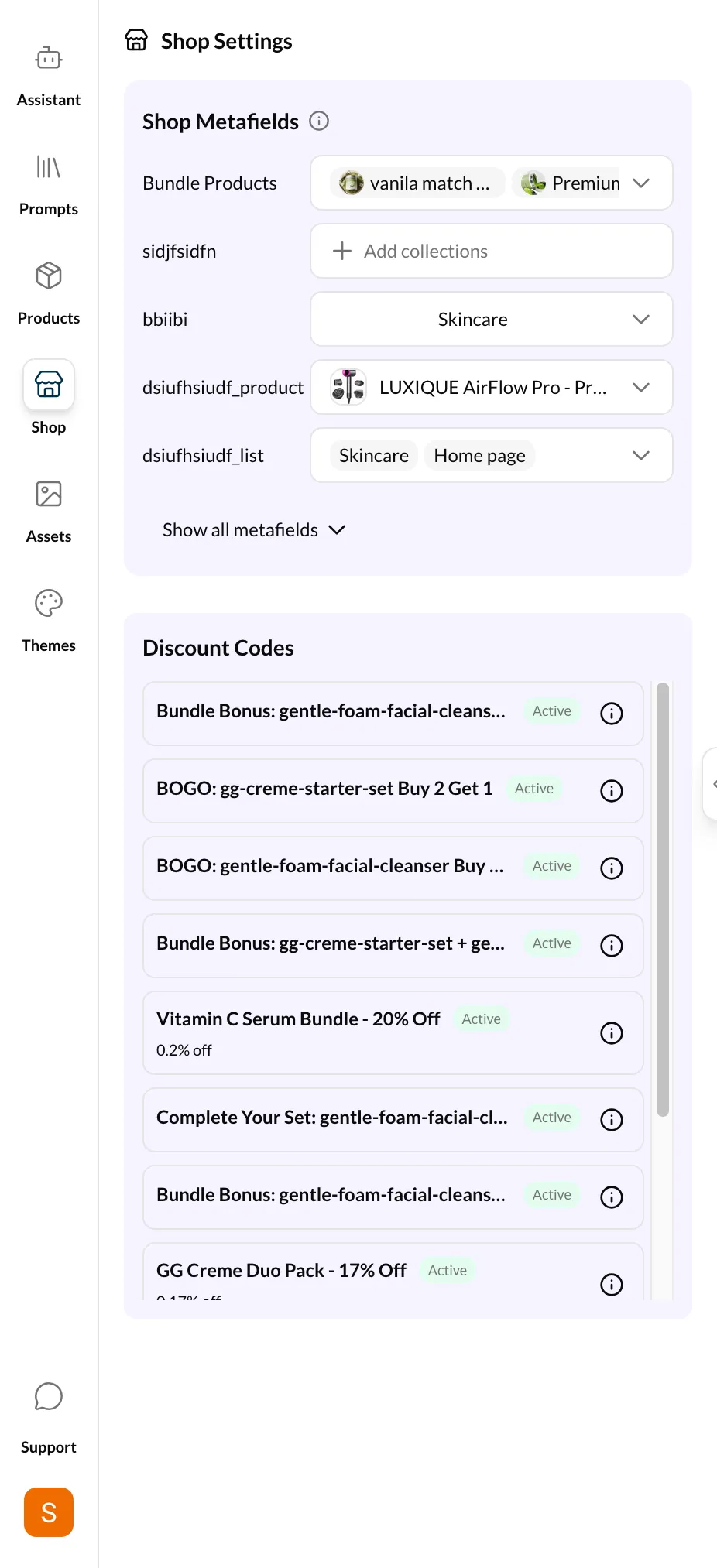
Shop Metafields
Shop metafields work the same as product metafields, but they apply at the store level. Common uses include:
- Store-wide announcements
- Global configuration values
- Custom navigation data
- Social media links
All the same metafield types are supported (text, number, date, boolean, color, JSON, lists, references). See the Products page for the full list of supported types.
To edit shop metafields:
- Open the Shop tab
- Browse or search for a metafield
- Click to edit the value
- Save your changes
Discounts
The Discounts section shows all discount codes configured in your Shopify store.
Viewing Discounts
Each discount shows:
- Code — The discount code customers enter
- Type — Percentage, fixed amount, or free shipping
- Status — Active or disabled
Managing Discounts
- Toggle on/off — Enable or disable a discount without deleting it
- Delete — Remove a discount permanently
Read-only for some plans
Discount management requires the appropriate Admin API scopes. If discounts appear read-only, check your API token permissions.